
Advantages of Using an Online PDF Merger! How Does It Work?
Most organizations keep their official documents in PDF format. It is because the format is quite secure and makes the text easy to read.
Suppose, you are sending your CV for a job in a new company, they will demand it in PDF form. The reason is that it will keep the documents in their original form.
However, there is a problem that you can face using PDF files. A person can’t make changes in the document as the PDF format is not editable.
Sometimes you may have multiple documents that you have, but you are not allowed to send more than one document. Here you have to merge the PDF files and make them a single document.
Some users apply the technique to change the format of the file and after that, make modifications to the content. But, don’t you think it is time taking process? So, how you can come over it?
It can be done with the help of using online PDF tools. These tools allow you to combine all the PDF pages in a single file and manage the documents in a better way.
Table of Contents
Top Benefits of Using PDF Merger
In this section, we are going to discuss some of the best benefits that a person can get with the help of a PDF joiner.
Secure Option
Using online tools to combine your PDF files is quite a safe option. PDF format is itself a secure file form that can’t be changed. But when you change that PDF document to any other format like Docx or xsls, there are chances that you may lose some important data while doing it.
But usage of the online tool is a very secure option in this sense as the users will have to upload their PDF files directly on the tool without changing its text format.
So, the new files generated from this tool will also remain locked as you can’t make changes there. This option makes the tool more secure for the users.
Quick Outcomes
Changing the format of files, combining them and again converting them to the PDF format can be hectic and also a time taking process. A person has to spend effort while making it possible.
But it is totally different in the case of using the PDF tool for the merger as you will not have to follow all these steps while merging the PDF files.
Just open the PDF document and upload your files here. After that click on the merge button and it will combine all the documents. This act directly leads to an increase the work speed and becomes a time-saving element.
Compatible at Every Platform
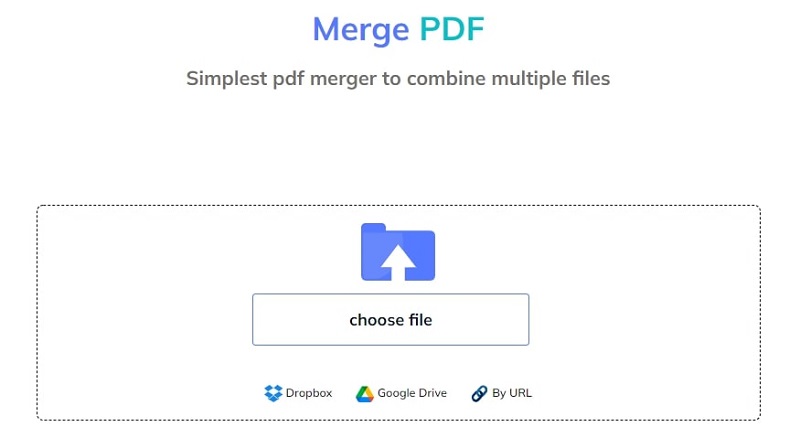
Users can get access to the tool at every platform they are looking for. No matter if a person is using Windows or Mac, this online PDF combiner can be used anywhere.
Just search for a recommended online PDF merger on the search engine.
After that upload, the file in this tool and you can have the merged file in your system within a few seconds.
Merge Multiple Files
In the manual method, you have to open each file and adjust it according to requirements. It will take a lot of time of the users.
There are also chances that you may puzzle while combining multiple documents and miss an important one.
To come over this issue, you can go for a PDF combiner tool that allows you to upload multiple files at one time and combine them in a single document.
It will not take more time for doing this entire process. Instead, you can get instant results from the tool and keep your processing in a flow.
Merge the Files in Flexible Way
Users can combine the PDF files with flexibility with the help of these online tools. But this option is not available when you are doing it all manually.
Like you want to merge 5 PDF files and they are all placed there randomly. The thing you can do is to change the position of files as it allows you to do so.
You can set the sequence of files in the proper way that is required. This element makes this online tool more flexible to use.
No Need for Installation
The best thing about PDF combiner is that you will not have to install the software in your system before using it.
Instead, it can be accessed without installation. Just open the tool on your browser and upload your files here. It not only saves the time of a user but also avoids occupying additional storage in the device.
How to Use This Tool?
The usage of this online tool is quite simple. You have to go through some simple steps and can make it possible to merge the PDF documents.
- Open your browser and type PDF combiner/merger on the search engine.
- Here you will get a list of these tools. Go for the best one that is rated well by the users.
- There you will see an option of “upload”. Click on that icon and you will reach the folder of your system.
- Now select the files that you want to merge. Open those files in the tool.
- Arrange them in a sequence as you want to generate the results. After that click on the merge button.
- In the end, click on the download button and you will have a new file in your system.
Bottom Lines
PDF files are not editable so you can’t make changes to the document. To make modifications in the content, some people used to convert the format.
But there is no need for it now because you can get help from an online PDF combiner that can help you combine the PDF documents.
This tool is quite beneficial for making the workflow faster and getting the newly merged files instantly. Moreover, users can get access to the tool at the online platform even without installation and complete their tasks here.
Meta Title: Top benefits of using PDF merger. How you can use it?
Meta Description: Instead of combining the PDF files by changing their format, you can simply go for a PDF merger. Here we have discussed some top benefits of this online tool.


